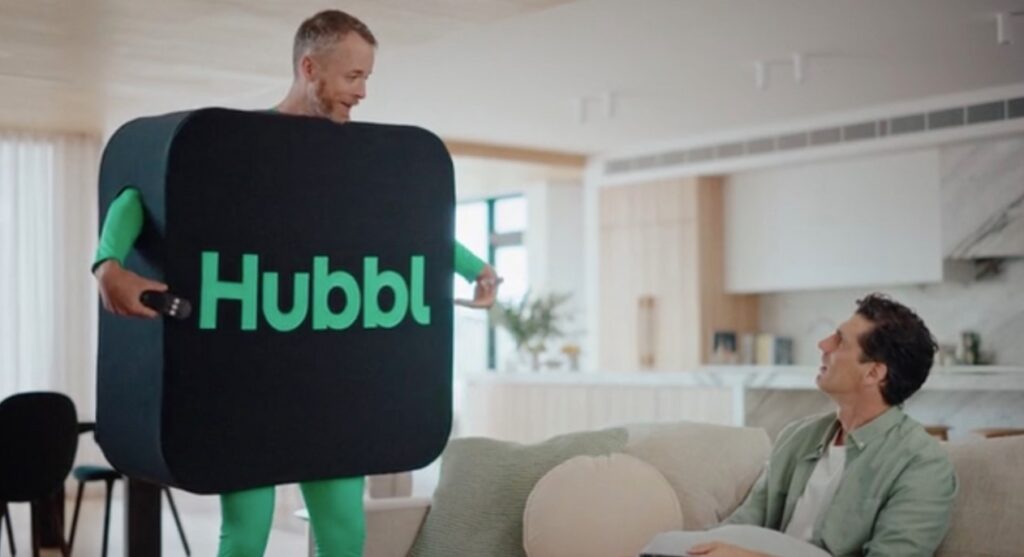
Hubbl has a very clever marketing campaign promoting it as the ‘Future of TV and Streaming,’ and it may well be one day. Today, it is simply a set-top box. Well, perhaps a little more.
- A TV Aerial socket and tuner.
- Stack and Save monthly credit of $5/10/15 for bundling 3, 4, or 5 subscriptions.
- The software is immature (take it from an expert who experienced several hangs, resets, false starts and laggy streaming), but that will improve.
- The interface is overly difficult for some actions.
- Users must have a mobile phone and email to get an account (that leaves the oldies out).
- It keeps pushing Foxtel products – Binge, Kayo, Flash and Lifestyle.
- Streaming apps are currently limited.
- You can’t get your Foxtel content on Hubbl or vice versa.
- It also powers the Hubbl Glass TV.
Australian Review: Hubble puck Model IP061-05-FXTL (as of 23 May 2024)
| Website | Company webpage |
| Price | $99 Puck $1595/1995 for 55/65″ Hubbl Glass. TV Delivery may be included for specific areas. We have seen heavy discounting of the Puck and Glass. |
| Warranty | 2-year and 31-day refund |
| Made in | Not disclosed – likely China |
| Company | 100% Foxtel – a pay-tv company owned by New Corp (65%) and Telstra (35%) |
| More | I’mTech Hubbl news I’mTech TV casting devices (part of the AV category). Look for Amazon Fire, NVIDIA Shield, Google TV, Chromecast and Fetch. |
We use Fail (below expectations), Pass (meets expectations) and Exceed (surpasses expectations or is the class leader) against many of the items below. We occasionally give a Pass(able) rating that is not as good as it should be and a Pass ‘+’ rating to show it is good but does not quite make it to Exceed. You can click on most images for an enlargement.
We are also tightening up on grading. From now on, Pass, for example, means meeting expectations for the price bracket. We consider a Pass mark to be 70+/100 with extra points added for class-leading and excellence.
First Impression – Most are not sure what Hubbl is or does.
Not everyone is Hubbling because no matter how catchy or trendy the marketing is, it is simply another set-top box with no real benefits over Fetch TV, Google Chromecast (Google TV), FireStick (Amazon Fire TV), etc.
What it is
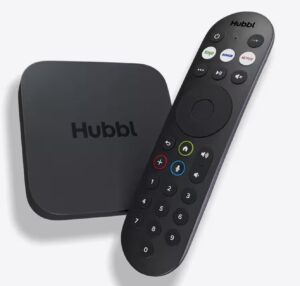
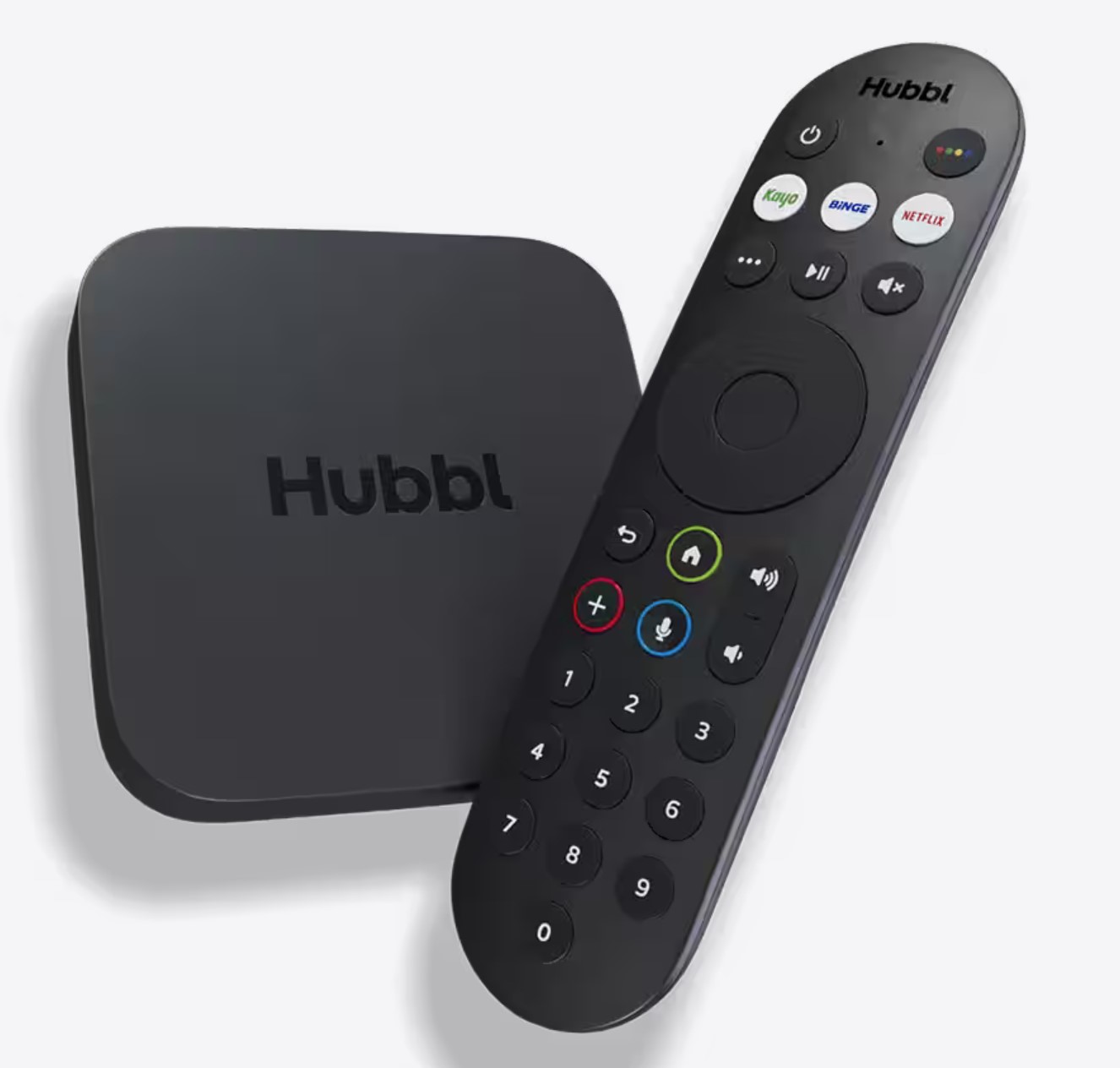
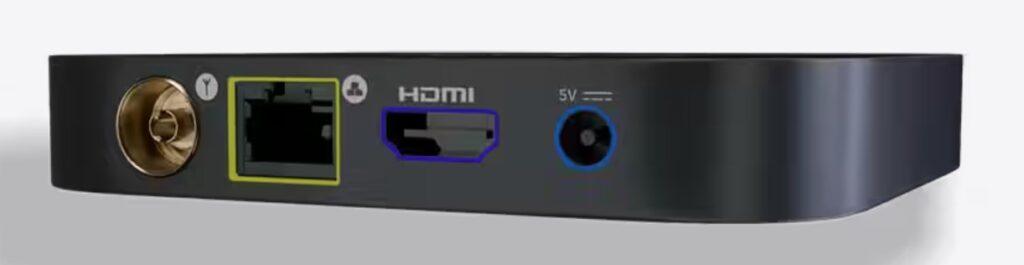
The puck is a small 108 square x 18cm black box with power, Ethernet (or Wi-Fi), HDMI 2.1, and a TV Tuner aerial connection. Its functionality is also built into Hubbl Glass TV.
It has an IR and Bluetooth backlit remote control (good) with voice, numeric 0-9 keys (good), volume up/down, power, microphone and button, Kayo, Binge, and Netflix buttons, and a ‘wheel’ to go left/right/up/down and confirm. The remote can also control CEC-compatible TV power and speakers.
It requires at least a 25Mbps NBN plan, and up to six pucks can be used (if you get more NBN bandwidth).
What it does.
The TV aerial and tuner allow you to use Hubbl as a free-to-air (FTA) TV feed. Regrettably, FTA is not integrated into the Hubbl EPG (electronic program guide).
The Ethernet or Wi-Fi 6 connects to the internet for digital streaming.
HMDI connects to a TV (720/1080/4K), making the TV effectively a dumb monitor. You can also attach this to any HDMI-equipped monitor or video projector.
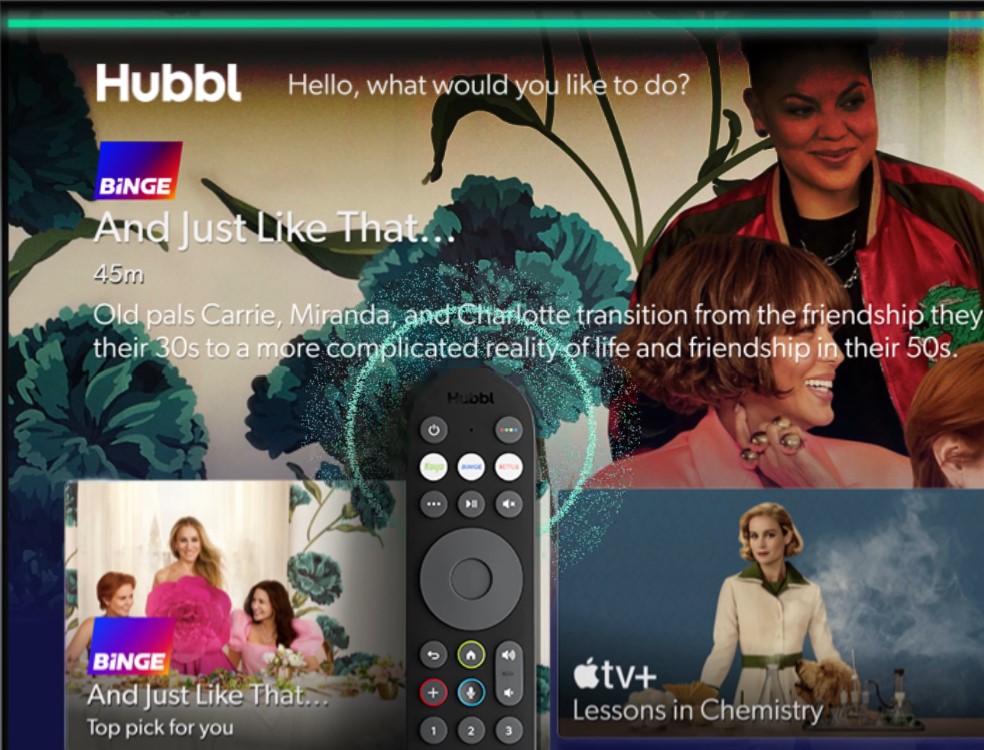
It has a voice search and a Hubbl digital guide.
It functions similarly to the 4K Telstra TV Roku box, which has now been discontinued.
Setup
- Plug in an aerial (if you want FTA)
- Plug in Ethernet or use Wi-Fi.
- Connect HDMI to the TV.
- Power up.
- Follow the prompts.
It requires your Name, email address, mobile number, and birth year. If you don’t have an email or a mobile phone, forget it. Later, you will be asked for your postcode.
If you want to use FTA, you must run a channel scan while Hubbl reminds you that Hubbl features are not available via the antenna. Then, it asks you to sign in to the digital versions of FTA TV, where all Hubbl features are available.
It asks you to sign in to streaming services like Netflix, etc. At this stage, you are still a streaming service direct client. It provides details and a QR code to transfer some compatible (Netflix and Disney+) accounts to Hubbl for subscription management. The carrot is that once Hubbl has these, it will include them in its voice or text search.
At this point, it has not asked for a credit card – don’t worry, it won’t miss that.
Stack and Save – limited use
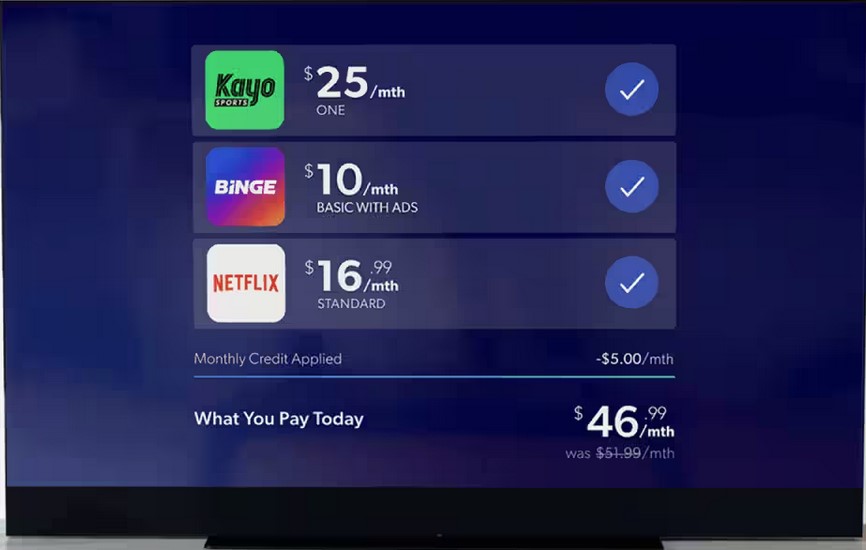
Stack and Save are only for subscriptions billed via Hubbl and only apply to Kayo, Binge, Lifestyle, Flash, and Netflix (if you have transferred this to Hubbl). The savings are a monthly credit of $5/10/15 for bundling 3, 4, or 5 subscriptions.
- Kayo $25
- Binge $18
- Netflix Standard $16.99
- Life Style $8
- Flash $8
To be clear, only these services attract a Stack Saver credit. Hubbl stated that it does not plan to add additional apps to Stack & Save.
Use as an FTA TV – too complex
Ignoring Hubbl’s voice or text search (see next section), there is no default to FTA TV on start-up and no evident FTA TV Electronic Program Guide. To find it, you need to
- Press the Home key.
- Scroll down to ‘View all Inputs’.
- Press the button with the four coloured dots.
- Press the right wheel.
- Press it again for Menu
- Select TV Guide – press again.
- A mono TV EPG guide appears – the one the FTA TV system provides anyway.
- You can select a channel if you know its number (use numeric keys) or press the down wheel and wade through the EPG.
Eight steps are not intuitive at all. If you must buy a Hubbl, I advise getting an antenna splitter and continuing to use the TV as your FTA device.
Use as a Digital FTA TV
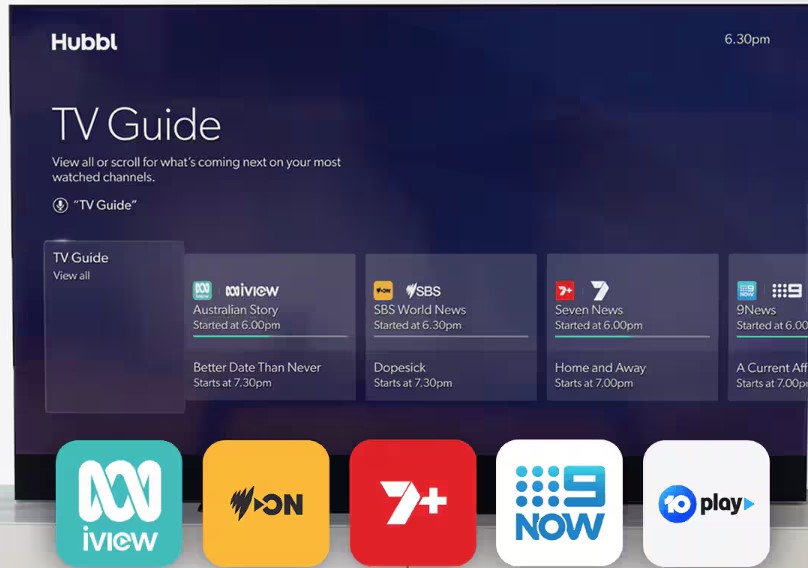
When you sign into ABC iView, SBS, 7Plus, 9Now and 10Play, these become part of Hubbl’s search. They also mean Hubbl now has your FTA viewing data.
Apps – Limited
Interestingly, these are not downloaded apps like other TV OS but cloud apps that appear on the Hubbl home screen (like viewing TV via a browser). We are not aware of any intent to substantially increase the range of services.
- Apple TV+
- Digital FTA channels and sub-channels
- Disney+
- Netflix
- Optus Sport (coming soon)
- Paramount+ (coming soon)
- Prime Video
- Stan
- YouTube
You need to consider if the range meets your needs. For example, Google TV has over 800 free TV channel apps and more than 10,000 educational, games, tools and utilities. LG WebOS24, Samsung Tizen 8, and Hisense VIDAA 7 have substantially larger app stores.
Pay-Per-View – limited
No non-sports content is currently available for sale in its Pay-Per-View Store. However, there is mention of Main Event boxing, UFC, and WWE. If you purchase content, it is available until 23:59 on the fourth day after the event’s start time.
Privacy
Hubbl monetises your data by aggregating and controlling your digital apps to sell targeted advertising.
It assumes you read the Terms and Conditions and Privacy. By default, it can send you (extract from Hubbl’s website):
- Offers & updates: Stay across the latest offers and product updates that are available to you from the Hubbl Family, other companies within the Foxtel group, our partners, and related companies.
- Surveys & Feedback: From time to time, we’ll send invitations to quick surveys and in-person interviews at Hubbl HQ.
- Content, New Releases & Features: Keep up to date with all our latest content and product features from Kayo, Binge, Flash, and Life Style.
- Device & Accessories: We’ll keep you updated on all things related to your Hubbl device(s).
- Manage your SMS preferences: I want to opt out of all SMS marketing communications from the Hubbl family.
- Manage your in-app preferences: I want to opt out of all In-App marketing communications from the Hubbl family.
- Facebook custom audiences: Opt-out of Hubbl matching an anonymised common account identifier, such as a hashed email address, with Facebook/Instagram, so we can target our advertising to you on those social media platforms.
We could not text scrape the 5184-word Privacy Policy or Terms and Conditions from the Hubbl puck, so we list the website versions at the end (these may be different). The T&C consists of ten nested policies, which we have linked to.
These are in addition to the Privacy policies and terms of any streaming services you use.
There is a bright side – Hubbl must conform to Australia’s privacy legislation and store data here.
A comment on Hubbl Glass TV
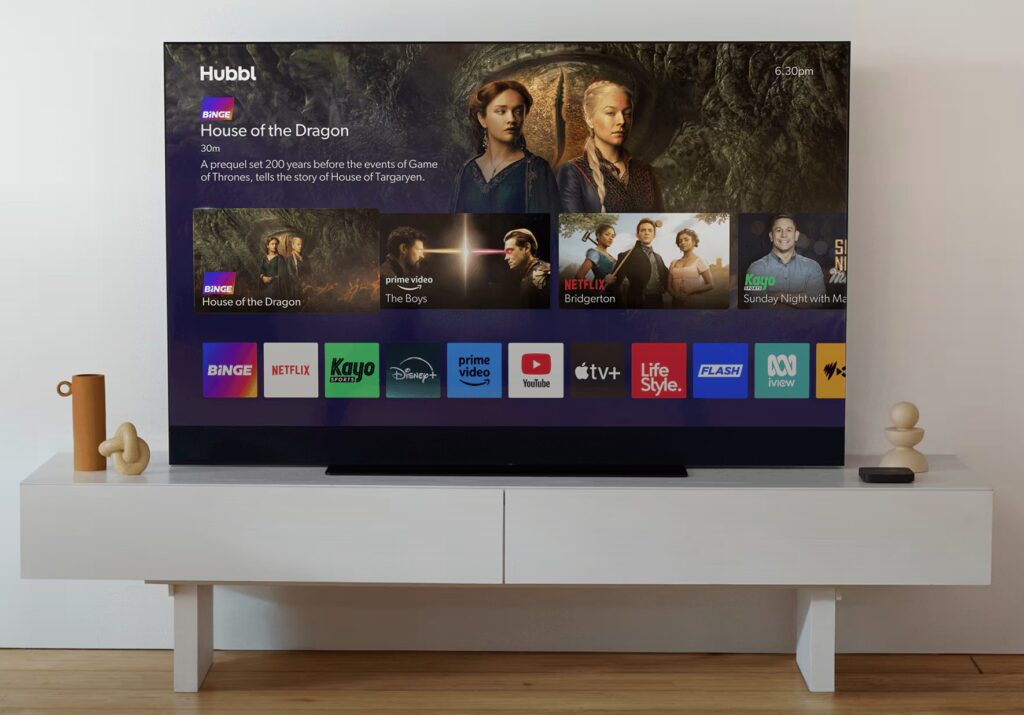
We have not reviewed this, but operationally, it is the same as the Hubbl puck.
- 4K supporting HDR10+ and Dolby Vision downmixed to the panel’s 400 nit peak brightness capabilities.
- 55/65” $1595/1995
- Quantum Dot, 60Hz VA LCD panel (smaller field-of-view compared to IPS and OLED)
- Edge-lit with 78/112 dimmable zones (well below average with blooming and haloing).
- Anthracite Black, Ocean Blue, Racing Green, Dusky Pink and Ceramic White.
- Six speakers total 215W (no mention if that is peak or RMS). We suspect it is 150W RMS—right/centre/left forward-firing (probably 3 x 15W), right/left up-firing (2 x 15W), and a 75W centre sub-woofer for 3.1.2 virtual Dolby Atmos. The subwoofer reportedly does not have any low bass for room-shaking sound.
- Web browser app not supported (Hubbl cloud services only)
- Quad-core ARM A55@2GHz, 4GB LPDDR4, 32GB Flash (no local storage and no recording ability)
- Wi-Fi 6 2.4/5Ghz
- Bluetooth 5.1
- 3 x HDMI 2.1 ports (one eARC) and one Ethernet port—there are no other ports for USB storage, optical, etc.
- 6-star Energy rating (typical of edge-lit screens)
- Will not support 4K gaming above 60Hz and has a 65.4ms delay.
- 300 x 200 VESA wall mount – comes with a desktop stand.
- Needs 50Mbps NBN at least.
- You are locked to Hubbl.
This is a reasonably low-end, edge-lit QD TV. We have accessed some preliminary test results, and it reaches approx. 400 nits (HDR in a 10% window), and the full screen is 300 nits. HDR content requires at least 800 nits peak.
I’mTech’s insight – Fine if you know what it does
For the consumer, Hubbl seeks to solve a problem that streaming dongles already solve very well. For Hubbl (Foxtel), it creates data monetising opportunities and a rabbit hole that may be hard to emerge from.
- Stack and Save is extremely limited.
- FTA TV (via the aerial) is hard to use.
- The range of streaming services is limited.
- The software is buggy; streaming can be slow and buffer (we test on 100/20Mbps).
- The purchase price would be better used for Chromecast with Google Android TV HD or Chromecast with Google Android TV 4K (a new model is coming). Fetch Mighty Gen 4 set-top box – more features than you can poke a stick at is a better alternative now.
- No recording
- There is no view for movies or TV series in its content library.
- Foxtel is separate from Hubbl, and ‘never the twain’ shall meet.
- Locks you into Hubbl – how do you unsubscribe and return to your TV apps?
Hubbl Rating (70/100 is now a pass mark)
- Features: 70 -It is a digital streaming dongle with very few streaming services, TV tuner and a backlit remote
- Value: 70 – We already see strong discounts on Hubbl and Glass.
- Performance: 70 – slow, buggy and laggy.
- Ease of Use: 70 – FTA TV users will find the interface difficult and end up using the Hubbl TV Guide –precisely what Hubble wants.
- Design: 70 – looks quite well made. Remote Control has a backlight but no EPG button.