
The free NBN upgrade has arrived, and those on FTTP and HFC connections now get 500/50Mbps as the baseline level.
But readers report that when they run Ookla Speed Test (or similar tests) are getting similar speeds as before. It is not NBN’s fault.
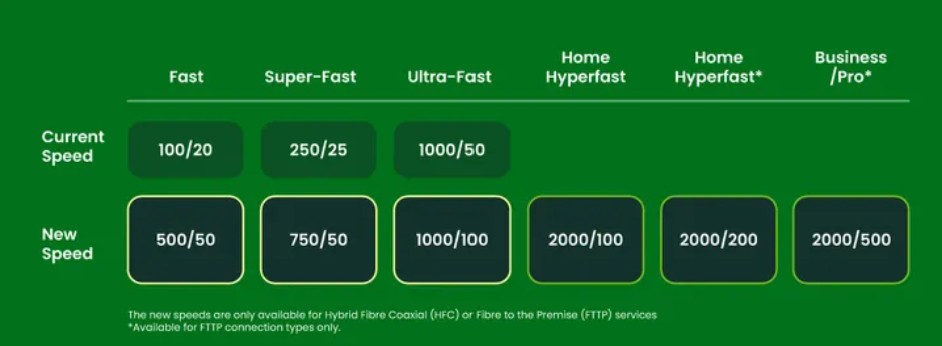
The Free NBN Speed upgrade measurement can be affected by a few things.
Using a Wi-Fi-connected device, like a smartphone, PC, Mac, or tablet. At best, you will see 100/20 on a Wi-Fi 6, 250/20 on a Wi-Fi 6E and perhaps a little more on a Wi-Fi 7 device.
The reason is that most portable devices only have two streams and, at best, only 20/40/80 MHz bandwidth on a 5GHz network. These need a 160 or 320 MHz channel to take advantage of the new speeds.
Or your modem router is not fast enough. Read Free NBN Speed upgrade: Modem mayhem is just a scare tactic to sell more.
Don’t panic. While the free NBN Speed upgrade started on 15 September, some NBN resellers are struggling to change billing and provisioning. Or your provider has not yet passed the free upgrade on. Wait a week and retest. Contact them and insist on the free NBN speed upgrade, or go to an NBN reseller like Aussie Broadband that has upgraded its clients.
How to check the Free NBN Speed upgrade
The correct way to check your speed is to use an Ethernet RJ45 cable connected PC or Mac directly to the main router. This means that you have a guaranteed 1000/1000 (gigabit) connection, which will show the actual speed.
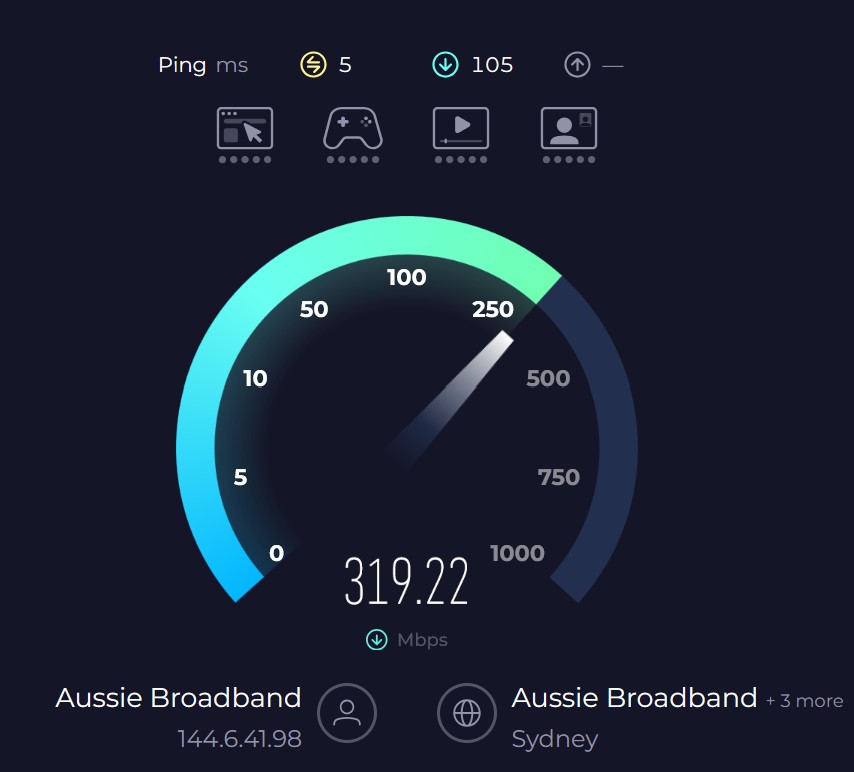
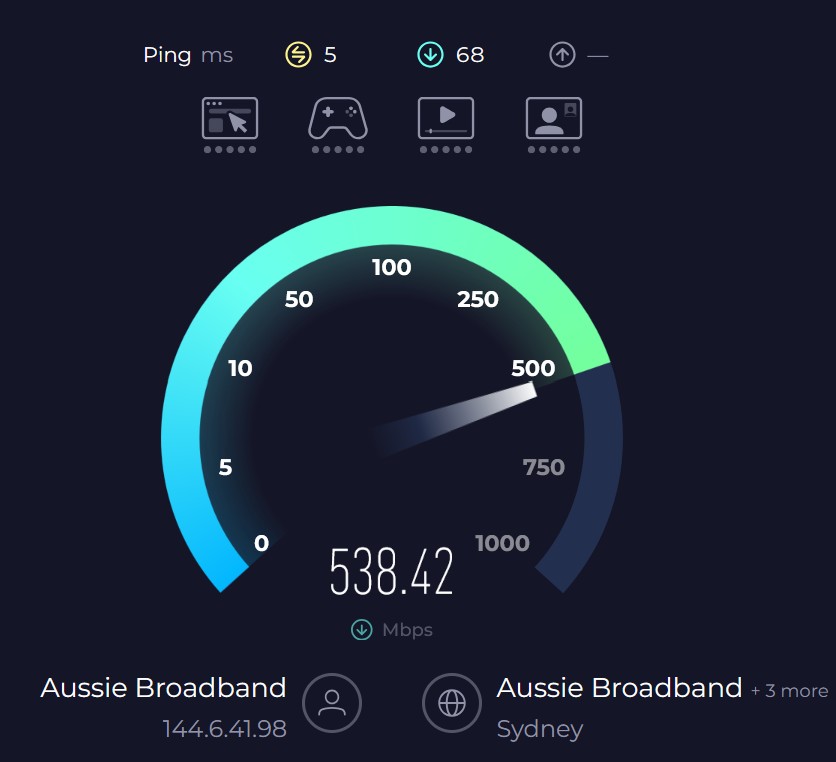
But as our friends at Aussie Broadband say, this simply tests the router, not the NBN connection.
You need to test the direct connection, not the router.
- Windows or Mac computer with at least a Gigabit Ethernet connection (if you don’t have an Ethernet port on the PC, you will need to get a USB-C dongle with an Ethernet port).
- Use a Cat5e or Cat6 Ethernet cable.
- Make sure you don’t have any programs or downloads running
- Make sure the device you are testing on is in high-performance mode and not power-saving mode.
Direct connection speed test instructions
- Kick your router connection using the service tests in MyAussie (or another provider’s support page)
- Unplug your Modem/Router from the NBN NTD UNI-D1 port
- Using the same cable from the NBN NTD plug in a laptop or computer.
- Run 3-5 speed tests through speed.aussiebroadband.com.au and save the results URL (or OOKLA Speedtest, and it saves history).
- Kick the connection again via MyAussie
- Swap from the laptop/PC to the Modem/Router
Chances are that the direct connect speed will be very close to your new speed. If they are, then the router is likely the issue and can’t handle the new speeds.
Read Free NBN Speed upgrade: Modem mayhem is just a scare tactic to sell more and I’mTech can help you to solve the issue. No we don’t sell anything – this is a free reader serviced.
Will I notice the speed increase?
Probably not. The 5X speed increase is for downloads, and unless you are downloading big files, the download time will be a little less. Also, most internet download servers throttle the download anyway to a few Mbps, so they don’t get overloaded.
Larger families will notice that the internet does not slow down as much when the 1.8 children (per average family) are playing Xbox or PS2, or you are all streaming audio or video content.
Uploads have gone from 20 to 50 Mbps, and that will help remote workers – it will feel a little faster to save to the cloud.
And remember that you won’t get the full speed advantage unless you are using Ethernet cabled devices or Wi-Fi 7 tri-band routers and devices using the MLO aggregated 2.4/5/6 GHz bands.